
SIMPLE. DIRECT. CONVENIENT.
Make a payment.
Keep it simple.
Find the bank details and UPI payment options for Webtech Vibes in one place. Pay against your confirmed invoice using bank transfer or your preferred UPI app.
Bank Transfer UPI Payments Indian Payment Apps
CHOOSE YOUR PAYMENT METHOD
One place for every payment detail.
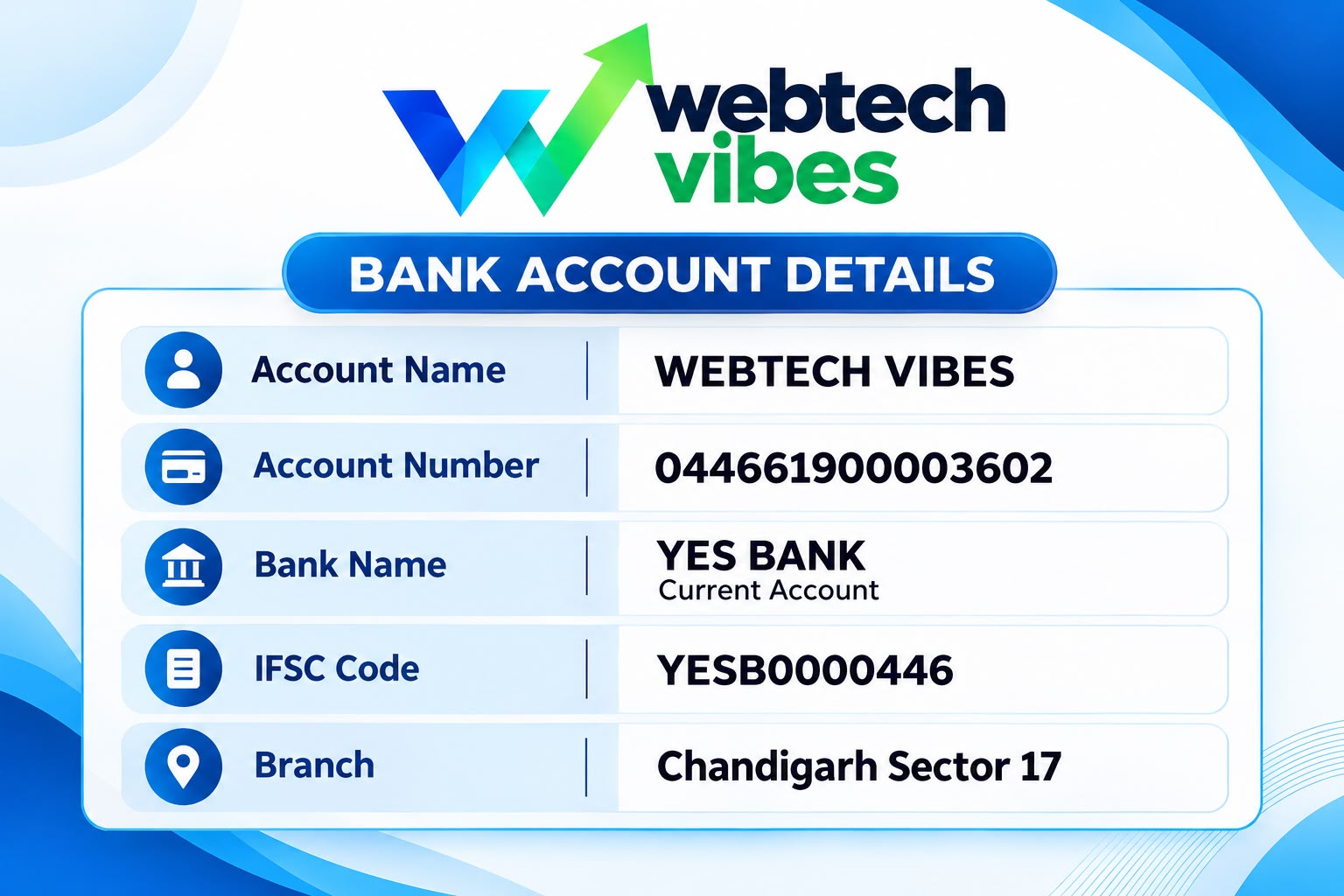
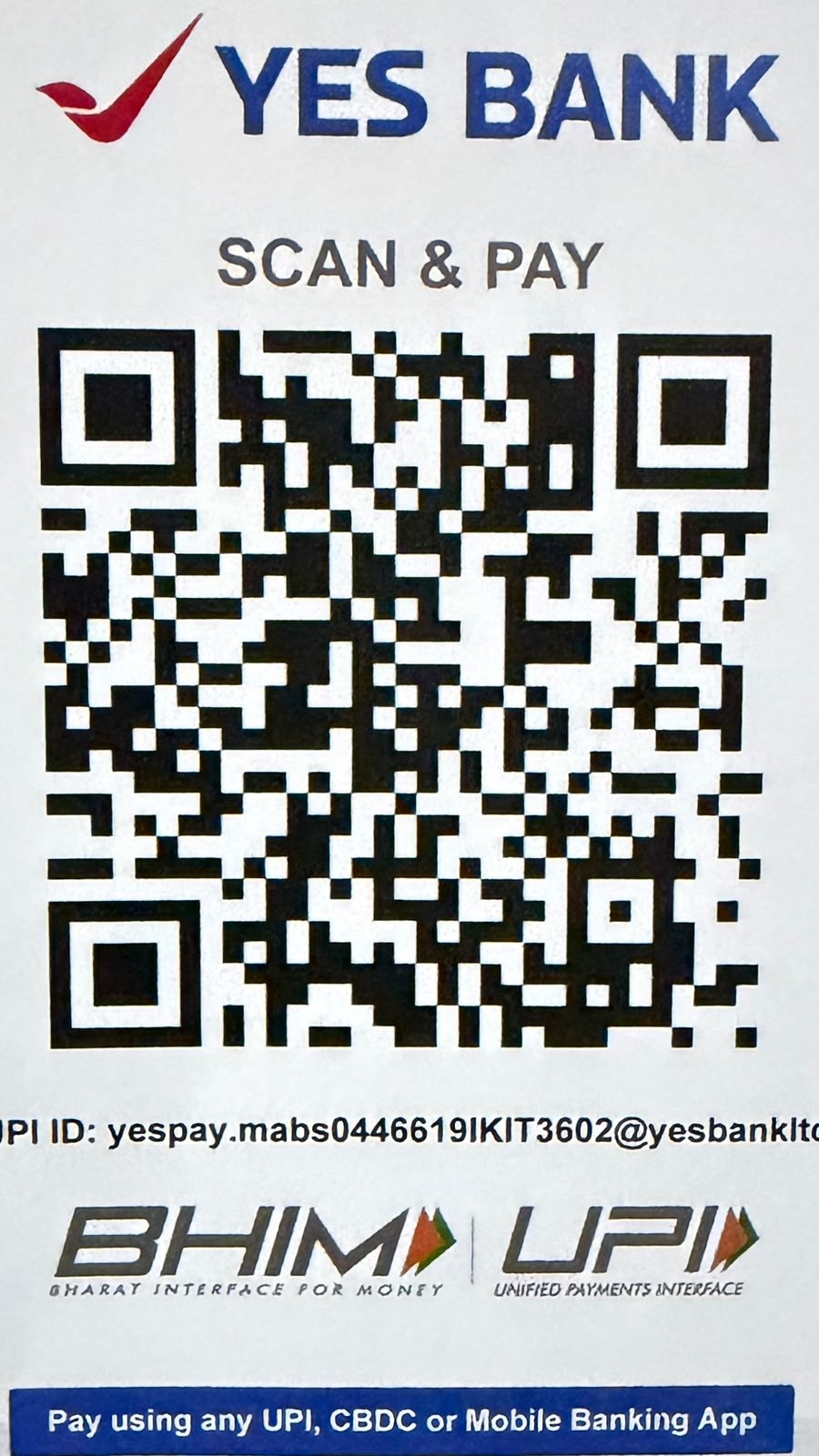
Use the account information below for a bank transfer. For UPI, scan the QR code with a compatible app and check the beneficiary shown before paying.
Bank Account DetailsYES BANK · Current Account
Account Holder
WEBTECH VIBES
Account Number
044661900003602
Bank Name
YES BANK · Current Account
IFSC Code
YESB0000446
Branch
Chandigarh Sector 17
View original bank details artwork
Scan & Pay with UPIYES BANK · BHIM UPI compatible

Scan using your preferred UPI app
Check recipient details and amount before you approve.
Confirm the payee before payment. Make sure the recipient displayed by your UPI app matches the payment details confirmed by Webtech Vibes. Never share your UPI PIN or OTP.
View original YES BANK scan & pay artwork
EASY PAYMENT PROCESS
Three simple steps.
STEP 01
Choose a method
Use the QR with your UPI app, or make a bank transfer using the details above.
STEP 02
Verify the recipient
Confirm the beneficiary or UPI recipient and the amount against your invoice before paying.
STEP 03
Keep your receipt
Save your transaction reference and share it with our team if needed for invoice reconciliation.
Questions about a payment?
Our team can help verify payment instructions before you transfer funds.
Copied to clipboard